Active
Every vehicle, document and litre, under control.
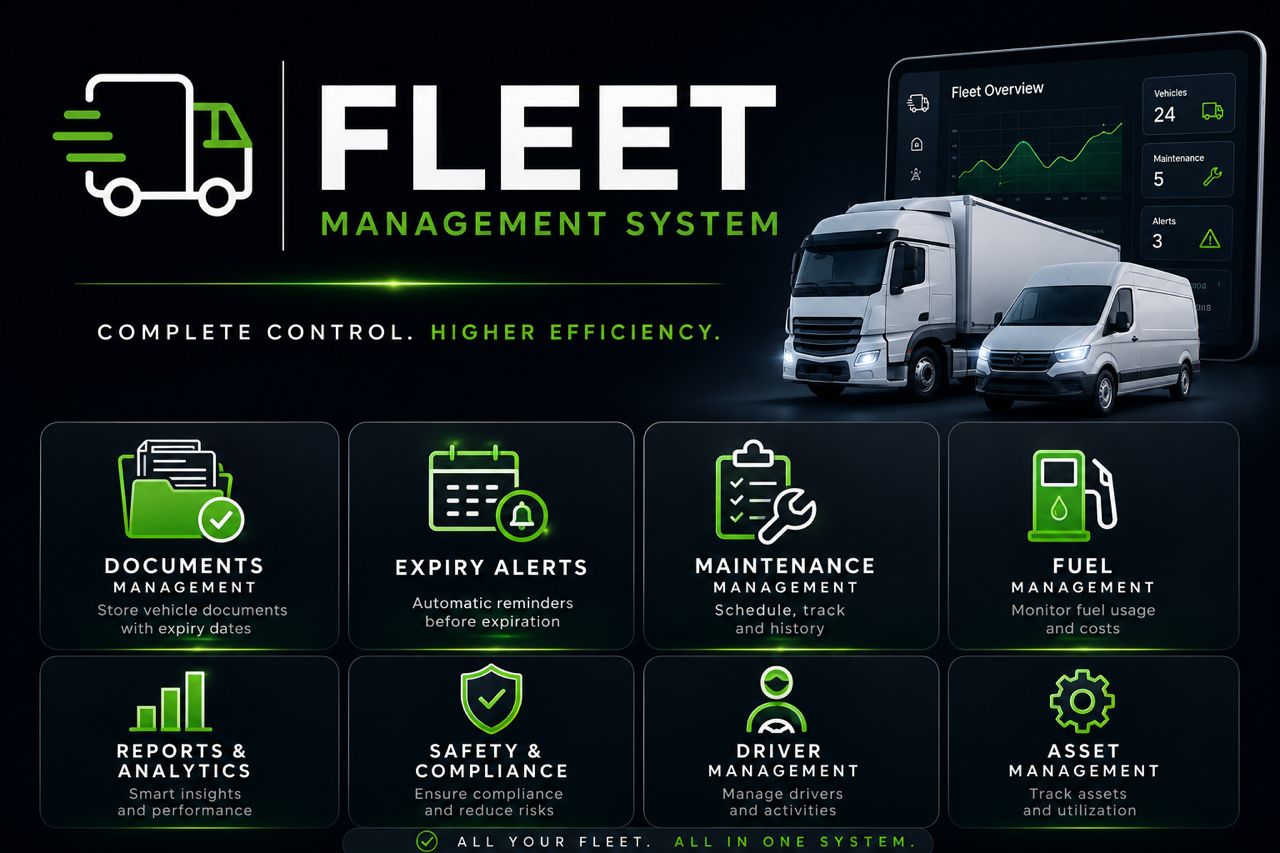
FMS runs a vehicle fleet from one offline desktop system — vehicles, fuel and tanks, documents, maintenance and alerts — with reports and a full history behind it.
The system a fleet is managed in.
FMS is the JEBREX Fleet Management System, for any organization that runs vehicles. It keeps the whole fleet — the vehicles, their fuel, their documents and their upkeep — in one desktop system rather than across logbooks and spreadsheets.
It runs offline as a single installation on the company’s own machine, so the fleet is managed on-site and nothing depends on a connection being up.
It is built, owned and operated by JEBREX.
A fleet is easy to lose track of.
Vehicles come and go, documents expire, fuel is logged on paper, and maintenance is remembered rather than recorded. The cost shows up later — a lapsed registration, fuel that does not add up, a repair that was overdue.
FMS gives the people responsible for a fleet one place where every vehicle and everything about it is tracked, so it can be optimised instead of estimated.
One record per vehicle, and everything hangs off it.
FMS is organised around the vehicle, so fuel, documents, maintenance and alerts all trace back to the same place.
-
01
Register the fleet
Each vehicle gets an identity of its own; renaming or moving it never orphans its records.
-
02
Track fuel and tanks
Log fuel per vehicle and reconcile it against a tank ledger of the physical fuel that actually moved.
-
03
Documents and maintenance
Keep documents and attachments with each vehicle, and record maintenance and its history rather than trusting memory.
-
04
Alerts before it costs you
Vehicle-scoped alerts surface expiring documents and low tanks before they become a problem.
-
05
Report, back up, audit
Produce fleet and fuel reports as PDFs, take retained backups you can restore, and keep an audit trail of what happened.
Deleting a vehicle archives it rather than destroying its history — an archived vehicle can be reached by link and restored, with its records and alerts, at any time.
What FMS does.
-
Vehicles
One identity per vehicle, with counts and KPIs derived from a single live source of truth.
-
Fuel & tanks
Fuel logged per vehicle, reconciled against a tank ledger of real physical movements.
-
Documents & attachments
Documents kept with the vehicle, with safe file attachments and separate view and edit modes.
-
Maintenance & history
Maintenance recorded and kept as history, so upkeep is a record, not a recollection.
-
Alerts
Vehicle-scoped alerts for expiring documents and low tanks, raised before they bite.
-
Reports
Fleet, fuel and tank reports produced as PDFs for sharing and filing.
-
Users, roles & permissions
Admin and employee roles with a per-module view/add/edit/delete matrix, enforced beneath the interface.
-
Backups, licensing & audit
Retained backups with a real restore, offline machine-bound licensing, and an audit log that keeps a complete trail.
Careful with a fleet’s history and its numbers.
A fleet system earns trust in the details — that nothing is lost, and that the numbers reconcile. FMS is built for both.
- Offline and single-installation: it runs on the company’s own machine, with no server to depend on.
- Deletion is archive-only — no vehicle’s history is ever destroyed.
- Fuel logs reconcile against a tank ledger of the fuel that physically moved.
- Backups keep their file attachments, and a restore brings the fleet back whole.
- An audit trail is kept complete, older entries archived rather than dropped.
Any organization that runs vehicles.
FMS is for the people responsible for a fleet — whoever needs to know where the vehicles are in their paperwork, how the fuel adds up, and what maintenance is due — and who want a dependable on-premises system to do it in.
A complete version 1.0.
FMS is at version 1.0, with its full fleet feature set — vehicles, fuel and tanks, documents, maintenance, alerts, reports, roles, backups, licensing and audit — in place, and a Windows installer built from the tagged source.
To talk about running it on your fleet, get in touch.
Want to talk about it?
Tell us about your fleet, and where a single system would help you run it.